Model

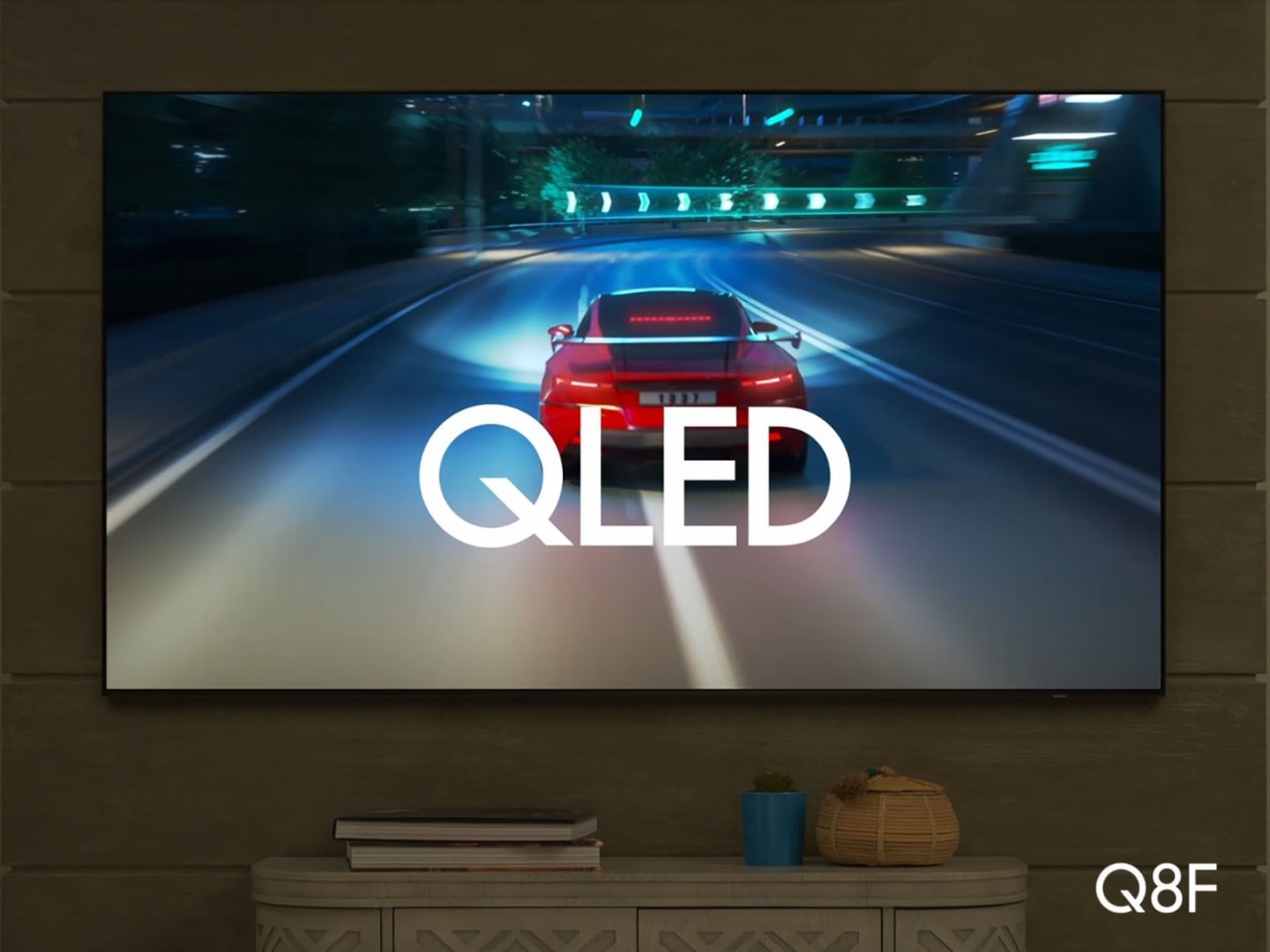
QLED Q8F

Motion Xcelerator 144Hz | Quantum HDR+ | Solar Cell Remote

QLED Q7F

Motion Xcelerator 60Hz | Quantum HDR | Solar Cell Remote

QLED QEF1 Online Exclusive

Out of stock

Motion Xcelerator 60Hz | Quantum HDR | IR Basic Remote
Select a size

32"

43"

Out of stock

50"

Out of stock

55"

Out of stock

65"

Out of stock

75"

Out of stock

85"

Delivery options for:

Payment options
One-time Payment
$0.00
Pay Monthly
${monthlyPrice}/mo
for {terms} mos ⊕σ
Pay in 4 Payments
${payin4Price}
every two weeks σπΩ
Akamai
85 Inch Class QLED Q8F4K | Samsung Vision AI Smart TV | (2025) $1,999.99
QN85Q8FAAFXZA
Total
Add to cart
Q4 AI Processor
Q4 AI Processor
100% Color Volume with Quantum Dot
Samsung Knox Security
Endless Free Content

Life like color that stays true, even in bright scenes

Indulge in over a billion colors that stay vivid and true in every scene and dynamic audio customized for your content. Plus, explore the personalized experiences powered by Samsung Vision AI.¹

1Samsung Vision AI and associated features vary by 2025 TV model (not available on Q6F, Crystal and select special models). Al Upscaling utilizes Al-based formulas. See individual TV model specifications for details.


Life like color

*QLED Q8F 32, 43, 50 inch does not support 4K AI Upscaling

Powers dramatically clear color and sound

Q4 AI Processor

Enjoy your movies and shows in stunning 4K, regardless of the source resolution. Plus, get the most out of what you're watching with AI-optimized color-boosted picture and audio quality, enhanced according to the type of content.²

black line

²Utilizes AI based formulas to adjust color and sound


Over a billion colors that stay true, even in the brightest scenes

100% Color Volume with Quantum Dot

Appreciate every beautiful shade of color with incredible precision. The nano-sized Quantum Dots can display the entire color spectrum,³ so you can admire billions of shades at any brightness level.

1 pixel black line

³100% color volume measured in Movie Mode and the DCI-P3 color space, certified by VDE


With Color Booster Pro OFF, the colors on screen looks dull. With Color Booster Pro ON, the same scene looks more vivid.

Secures personal data with triple-layer protection

Samsung Knox Security

Your TV experiences are secured. Samsung Knox Security defends against harmful apps and phishing sites while keeping sensitive data, such as PINs and passwords, secure. It also safeguards your IoT devices connected to your TV.⁴

⁴Personal data includes directly input PIN-codes and passwords, and IoT device information shared through the SmartThings app. The latest software is required.

Neo QLED TV is displaying mountains and a starry night. The scene after applying HDR 10+ ADAPTIVE technology is much brighter and crisper than the SDR version.

Access art from world-famous galleries and artists*

Art Store

Find the perfect piece of artwork from the world’s leading museums and artists such as The Met, MoMA, Salvador Dali, Keith Haring, Jean Michel Basquiat and more.⁵

⁵Samsung Account log-in and Wi-Fi connection are required. Includes free 30 refreshed artworks monthly through Art Store Streams and over 70 ambient content supported complimentary throughout the year. Paid subscription required to enjoy all the art from the Art Store.

Essential information for your day

Essential information for your day

Now Brief

Customize your Now Brief with loads of widgets such as Weather, Memo, Music, Tips, and more. Even wake up Now Brief hands-free through voice activation.⁶

⁶Available widgets subject to change without notice. QLED Q8F 43"-85" supports Now Brief.

A world of content at your fingertips. No subscription required.

Endless Free Content

Watch 2,700+ free channels including 400+ Samsung TV Plus premium channels and on free streaming apps. Enjoy national and local news, sports, movies and more. Explore new content being added regularly.⁷

⁷Samsung Account required for network-based smart services, including streaming apps and other smart features. Computer, mobile or other device may be necessary to create/log in to Samsung Account (free to download and create). Without Account log in, only external device connections (e.g., via HDMI) and terrestrial/over-the-air TV (only for TVs with tuners) available. Channels may vary by location and are subject to change. UI is subject to change without prior notice.

A TV displays the Samsung Gaming Hub home screen, which has options for streaming and playing games.

Where gaming comes together - no console required

Gaming Hub

A central hub that brings your favorite games from your consoles, cloud services and gaming apps, all in one place. It offers personalized recommendations so you can easily find what to play next.

*High speed internet connection, additional gaming service subscriptions and compatible controller required. *Samsung Account required for network-based smart services, including streaming apps and other smart features. Separate [connected] computer, mobile or other device may be necessary to create/log in to Samsung Account (free to download and create). Without Account log in, only external device connections (e.g., via HDMI) and terrestrial/over-the-air TV (only for TVs with tuners) available.

A dirt bike racer looks clear and visible inside the TV screen because of TV motion xcelerator technology.

Brings smooth motion to sports and tear-free gaming

Motion Xcelerator 144Hz

Experience smooth visuals and elite speeds for VRR gaming at up to 4K 144Hz.⁸

⁸4K 144Hz is only available with PC connected games that support such specifications (PC graphic card required). QN50Q8F, QN43Q8F, and QN32Q8F have Motion Xcelerator.

AI-powered game optimization*

AI Auto Game Mode

Automatically detects the game genre, and optimizes settings for the best gaming experience so you can say goodbye to navigating through menus and jump straight into gameplay.⁹

⁹Utilizes AI-Based formulas. AI Auto Game Mode is available for certain console and PC games.

Game Bar shows various settings that can be changed within the game The First Descendant.

Fine-tune your game settings as you play

Game Bar

A handy, in-game menu for settings like FPS, input lag, minimap zoom, and more. It also lets you apply ultra-wide aspect ratios of 21:9 and 32:9 to expand your view on bigger screens.10

10High speed internet connection, additional gaming service subscriptions, and compatible controller required.  Game Bar UI is subject to change without prior notice.

Smart lights on the back of the TV light up to match the colors that appear on the TV screen.

Immersive lighting that syncs with your TV

Hue Sync

Dynamically syncs the picture on screen with Philips Hue lights* for next-level immersion and an unforgettable ambiance.¹¹

¹¹Smart light sold separately. Samsung account required. Additional installation of the Philips Hue Sync app and paid subscription are required.

Sleek and slim design for a low-profile

AirSlim

This TV blends right into your wall with a slim design and brings clutter-free minimalism to any room.

1 pixel black line

TV and soundbar work together in perfect harmony

Q-Symphony

Unlock more robust, nuanced sound. The TV and soundbar both work together without muting the TV speakers, enhancing the audio experience.¹³

¹³Requires a compatible 2020-2025 Q-Series, S-Series, B750F or B650F soundbar (sold separately). For more information, check soundbar specifications.

Motion-based sound

Object Tracking Sound Lite

Feel like you're in the middle of the action with sound that follows objects on screen. Featuring a virtual top channel, every sound is precisely placed in space, placing you in the heart of the scene.

The volume of a TV dialogue increases to cover the sound of a puppy barking in a living room.

Optimized audio and clear dialogue adjusted to your content

Active Voice Amplifier

Don't miss a beat. Adaptive Sound optimizes audio scene-by-scene for powerful, balanced sound. Active Voice Amplifier boosts dialogue so you hear speech clearly, even in noisy environments.¹⁴

¹⁴N/A for 32"

Powerful AI features and services, all in one place

Samsung Vision AI Companion

Ask your TV anything through AI-enhanced conversation on your TV. Discover your next personalized movie recommendation, your next DIY project, an itinerary for your upcoming road trip, and so much more. With seamless access to AI picture and sound features, AI-powered experiences like Live Translate and Generative Wallpaper*, and AI agents from Copilot and Perplexity, you can do it all from your TV – all in one place.

*Samsung Vision AI, Vision AI Companion, Bixby and associated features vary by 2025 TV model. See individual TV model specifications for details. Bixby may record inputs and share queries with third-party AI providers. Requires Samsung Account and consent to Viewing Information Service; must be 18 years or older. Accuracy not guaranteed. Check results. Copilot by Microsoft, Perplexity, and other Samsung Vision AI Companion services terms apply and may require account login. Free and subscription-based versions available. User interface subject to change without prior notice. Contextual answers only available on Samsung TV Plus, antenna, and select HDMI content. Generative Wallpaper not available on OLED TVs.

Smarter Bixby

Ask your TV anything, Smarter Bixby answers

Smarter Bixby

Intelligence begins with a chat. Smarter Bixby¹⁵ understands you and makes it easy and intuitive to find answers to everything through your TV. It recognizes your exact needs, thanks to real time contextual understanding, and intelligently answers anything you ask.

¹⁵Smarter Bixby may record inputs and share queries with 3rd party AI providers. Requires Samsung account and consent to Viewing Information Service; must be 18 years or older. Accuracy not guaranteed. Check results.

Three TV screens showing how AI Mode customizes the picture and audio settings for different types of content.

See your favorite content the way you want it

AI Customization Mode

Automatically detects the type of content you're watching and intelligently optimizes the picture settings perfectly tailored to your tastes.²,¹⁴

Three TVs play audio differently, indicated by audio bars above the TVs, optimized for the type of content being played.

Optimized sound for every scene

Adaptive Sound

Get the optimal listening experience for each scene. The soundbar recognizes the type of content you’re watching and automatically adapts audio settings to produce clear voices and detailed sounds.

Make your own AI generated on-screen images to match your mood or décor

Generative Wallpaper

Choose the keywords that capture the ambiance you want and let the Generative Wallpaper work its magic. AI will provide stunning, one-of-a- kind images that beautifully fit your selection.¹⁶

¹⁶The number of generation attempts is limited by user per day

Real Colors, Real QLED

Real Colors, Real QLED

SGS verifies that Samsung's Quantum Dot sheets used in its QLED TVs contain no cadmium. Cadmium is a restricted hazardous substance under the EU's RoHS directive that requires electronic products to contain less than 100 ppm of cadmium.

Your TV screen, tailored to you

One UI Tizen

Your favorite content, apps, and more* on an intuitive smart TV platform that you can personalize.¹⁷

One UI Tizen’s home screen, with the various apps and services available, is displayed on a TV in a living room.

¹⁷Samsung Account required for network-based smart services, including streaming apps and other smart features. Computer, mobile or other device may be necessary to create/log in to Samsung Account (free to download and create). Without Account log in, only external device connections (e.g., via HDMI) and terrestrial/over-the-air TV (only for TVs with tuners) available. **Personal data includes directly input PIN-codes and passwords, and IoT device information shared through the SmartThings app. The latest software is required. ***Based on model year; requires Internet connection.

Your smart home command center

SmartThings (Built-in SmartThings Hub & Home Insight)

Connect and control smart devices through your TV to simplify your day-to-day life with the built in SmartThings Hub. Get notifications about your devices right on screen, including a 3D Map View showing your entire smart home ecosystem at a glance.³


Man wearing a Galaxy Watch watches TV in a living room. He moves his hand back and forth to play the video on the screen.

Control your TV without having to pick up the remote

Universal Gestures

Control your TV with simple hand motions while wearing a Galaxy Watch. Whatever you are busy doing, easily control your TV with intuitive gestures without touching the remote.¹⁸

¹⁸Available apps and services may vary and are subject to change without notice. Only supported on Galaxy Watch4 and later models, and Wear OS 5 and higher versions. Galaxy Watch sold separately.

Save energy with intelligent analysis

AI Energy Mode

Energy saving made easy with SmartThings. By turning on AI Energy Mode, it also detects surrounding light levels and analyzes usage behaviors to adjust the brightness. Also, it analyzes the content scene-by-scene to subtly adjust brightness where possible, to manage energy consumption.¹⁹

¹⁹Energy saving rate may vary by model, size, viewing conditions and type of content.  Products shipped in Eco Mode have some AI Energy Mode functions enabled by default, so energy saving levels when AI Energy Mode is turned on may appear lower compared to Standard Mode. AI Energy Mode does not work with Game Mode.

Control your TV with your phone

Quick Remote

Use your phone to change channels, adjust volume and more. Plus, access key Samsung Tizen TV features such as media and apps.²⁰

²⁰Requires SmartThings (available with Android OS 10 or later with 3 GB RAM space and Apple iOS 15 or later), Internet or Bluetooth connection and login to TV Samsung Account.

Ditch the remote batteries

SolarCell Remote

Charges through the embedded solar panels or via USB-C. Its streamlined layout makes navigation easy and includes a built-in mic for voice commands.²¹

²¹To charge the remote with solar energy, set the TV remote down with the solar panel facing up. If the SolarCell remote is at 0%, USB-C charging is required.

Close-up of SolarCell Remote’s front and back sides. Buttons are placed on the front, while the back reveals a solar panel.
Reviews

85 Inch Class QLED Q8F

4.6

Recommended by 91% of customers.

Features4.7
Performance4.6
Design4.7
Value4.6
AI Functionality4.3
AI review summary icon

AI review summary for 85 Inch Class QLED Q8F

  • Customers praise exceptional picture quality with vibrant colors, deep blacks, and superior contrast throughout reviews
  • Many highlight sharp 4K resolution and impressive upscaling of older content for cinematic viewing
  • Reviewers commend smooth gaming performance, low lag, and responsive controls ideal for gaming sessions
  • Most appreciate the intuitive interface, fast-loading apps, and user-friendly design for all users
  • A few report occasional software quirks or remote design issues, though satisfaction remains overwhelmingly high

AI-generated from customer ratings & reviews, and may include incentivized reviews.

1,578 Reviews
Filters (0)1,578 Reviews
  1. crazydust
    • Incentivized review
    5
    Reviewed in the Kentucky KY
    5

    very good TV with very good color contrast and very good picture quality it's amazing sound and amazing color I like to slick I like to Slick black screen and the frame size and the wall mount that it came with that I had to buy and amazing shape of the TV as well the brightness of the t v is amazing, and the upscaling quality is great and the responsiveness to the and the responsiveness to The Watcher is also amazing and I love the and I love these soundstage that the TV and I love the Sound Stage that the TV provides

    I recommended this product.
    Helpful?
    AI Functionality
    5
    Value
    5
    Performance
    5
    Design
    5
    Features
    5
  2. Alex07net
    • Incentivized review
    5
    Reviewed in the Greenville
    5

    the TV is really good have a really good Preakness the clarity of the picture is amazing in the night the contrast is really awesome I can see completely black he's the best is the best way 4K looks so be bright the song is amazing and everything works perfect and faster I love my TV baby vibrancy is amazing too

    I recommended this product.
    Helpful?
    AI Functionality
    5
    Value
    5
    Performance
    5
    Design
    5
    Features
    5
  3. Twitchy
    • Incentivized review
    5
    Reviewed in the Centennial, colorado
    5

    I have always had a samsung tv after my very first one. My favorite features are the clarity, resolution,vibrancy and the gaming menu they have. I game alot on my tv and with the Xbox feature makes it so much better. The sound quality is great. But the picture is phenomenal. The colors and details it adds to dark portions, the vibrancy of the bright colors is unbeatable when there are dozens of different colors flashing, from dark reds to bright greens, blues, purples, to neons, and no color fades out or gets overpowered by...

    I recommended this product.
    Helpful?
    Value
    4
    Performance
    5
    Design
    5
    Features
    5
  4. Jidir
    • Incentivized review
    5
    Reviewed in the Texas
    5

    Its an amazing TV! The picture quality is fantastic. I have my tv mounted on the wall the color brightness just shines. I have my gaming console connected so I have the Ai set on auto to change the resolution, fps, etc when I'm playing. The remote control is rechargeable with a usb-c cable, but what's really cool is that it solar charges, just fantastic! I'm loving it!

    I recommended this product.
    Helpful?
    Value
    5
    Performance
    5
    Design
    5
    Features
    5
  5. meghmed
    • Incentivized review
    5
    5

    I’ve had the Samsung 55” Q8F for a while now, and overall, I’m really happy with it. The picture quality is stunning—colors are vibrant, blacks are deep, and it handles bright rooms really well. Movies and sports look great, and the motion is super smooth. The smart features are easy to use, and the remote is simple, though I wish it was backlit. Sound is surprisingly decent for a flat-screen, but I still ended up adding a soundbar for better depth. The only downside is the viewing angle—if you’re not sitting right in front...

    I recommended this product.
  6. Caliche1
    1
    Reviewed in the New york
    1

    I got the TV yesterday. From the beginning, I had problems. First, the deliver took 6 days longer than what I initially said. I lost two days of work to wait for that TV. Second, when TV starts, I start to have a flaw in the world. It would go off and break to have the screen rained and cracked. I called help and the technician told me that I had a problem, upgrade, that I had to change it. I communicate with another person to do that and this is the time that I could not do that, I have a lot of obstacles, a lot of problem...

    Helpful?
    Value
    1
    Performance
    1
    Design
    1
    Features
    1
    Response from Samsung:

    Samsung Specialist

    Caliche1, We’re sorry to hear that your TV arrived with damage. While every unit is packaged carefully for transit, incidents can still occur during handling and delivery. Please reach out to our support team as soon as possible so we can review your case and guide you through the steps to get this resolved quickly. At your earliest convenience, please contact us at 1-800-SAMSUNG (8AM – 9PM EST Mon – Fri, 8AM – 6PM Sat – Sun). You can also chat with a LiveChat agent by clicking the ‘Support’ link on our website for: • Live Chat • Manuals, Software, & Warranty Info • Creating a Service ticket ~ Samsung Specialist

  7. Kymani The Samsung Legen…
    • Incentivized review
    5
    Reviewed in the Queens, NY
    5

    For my first 4k TV purchase, I wanted a top brand that I knew was going to be quality all across rhe board. I wanted something that would make my PS5 gaming POP! And due to my bedroom size, I needed it to be 32". Behold! One of the only 32" 4k QLED TVs on the market! Thank you Samsung! No other company is making these! I'd also like to see a 32" OLED TV in the future. 😎

    I recommended this product.
    Helpful?
    Value
    5
    Performance
    5
    Design
    5
    Features
    5
  8. Crosema831
    • Incentivized review
    5
    Reviewed in the Wyoming
    5

    I would like to start out by highlighting the overall size of the tv. The thin frame was a pleasure for such a feature packed TV. The second thing I would like to highlight is the picture quality and brightness both of these would above expectations. The auto brightness feature is well thought out as is the way the tv handles dark scenes. The great feature is the smarthub it is IOT smarthings hub by itself. Since I already have a smarthings enabled home this feature is awesome because now all my cameras and appliances are v...

    I recommended this product.
1Samsung Vision AI features vary by model; see product specifications on Samsung.com for more info.
2Utilizes AI based formulas to adjust color and sound
3100% color volume measured in Movie Mode and the DCI-P3 color space, certified by VDE
4Personal data includes directly input PIN-codes and passwords, and IoT device information shared through the SmartThings app. The latest software is required.
5Samsung Account log-in and Wi-Fi connection are required. Includes free 30 refreshed artworks monthly through Art Store Streams and over 70 ambient content supported complimentary throughout the year. Paid subscription required to enjoy all the art from the Art Store.
6Available widgets subject to change without notice
7Samsung Account required for network-based smart services, including streaming apps and other smart features. Computer, mobile or other device may be necessary to create/log in to Samsung Account (free to download and create). Without Account log in, only external device connections (e.g., via HDMI) and terrestrial/over-the-air TV (only for TVs with tuners) available. Channels may vary by location and are subject to change. UI is subject to change without prior notice.
*High speed internet connection, additional gaming service subscriptions and compatible controller required. *Samsung Account required for network-based smart services, including streaming apps and other smart features. Separate [connected] computer, mobile or other device may be necessary to create/log in to Samsung Account (free to download and create). Without Account log in, only external device connections (e.g., via HDMI) and terrestrial/over-the-air TV (only for TVs with tuners) available.
84K 144Hz is only available with PC connected games that support such specifications (PC graphic card required). QN50Q8F, QN43Q8F, and QN32Q8F have Motion Xcelerator.
9Utilizes AI-Based formulas. AI Auto Game Mode is available for certain console and PC games.
10High speed internet connection, additional gaming service subscriptions, and compatible controller required.  Game Bar UI is subject to change without prior notice.
11Smart light sold separately. Samsung account required. Additional installation of the Philips Hue Sync app and paid subscription are required.
12Compared to Quantum HDR 32" has Quantum HDR.
13Requires a compatible 2020-2025 Q-Series, S-Series, B750F or B650F soundbar (sold separately). For more information, check soundbar specifications.
14N/A for 32"
15Works on select TV controls. Samsung Account required for network-based smart services, including streaming apps and other smart features. Separate computer, mobile or other device may be necessary to create/log in to Samsung Account (free to download and create). Without Account log in, only external device connections (e.g., via HDMI) and terrestrial/over-the-air TV (only for TVs with tuners) available. Bixby voice commands recognize English (US/UK), French, Spanish,German, Italian, Chinese, and Korean. Not all accents, dialects and expressions are recognized.
16The number of generation attempts is limited by user per day
17Samsung Account required for network-based smart services, including streaming apps and other smart features. Computer, mobile or other device may be necessary to create/log in to Samsung Account (free to download and create). Without Account log in, only external device connections (e.g., via HDMI) and terrestrial/over-the-air TV (only for TVs with tuners) available. **Personal data includes directly input PIN-codes and passwords, and IoT device information shared through the SmartThings app. The latest software is required. ***Based on model year; requires Internet connection.
18Available apps and services may vary and are subject to change without notice. Only supported on Galaxy Watch4 and later models, and Wear OS 5 and higher versions. Galaxy Watch sold separately.
19Energy saving rate may vary by model, size, viewing conditions and type of content.  Products shipped in Eco Mode have some AI Energy Mode functions enabled by default, so energy saving levels when AI Energy Mode is turned on may appear lower compared to Standard Mode. AI Energy Mode does not work with Game Mode.
20Requires SmartThings (available with Android OS 10 or later with 3 GB RAM space and Apple iOS 15 or later), Internet or Bluetooth connection and login to TV Samsung Account
21To charge the remote with solar energy, set the TV remote down with the solar panel facing up. If the SolarCell remote is at 0%, USB-C charging is required.